progeCAD Professional2014.0.8.13
Publisher Description
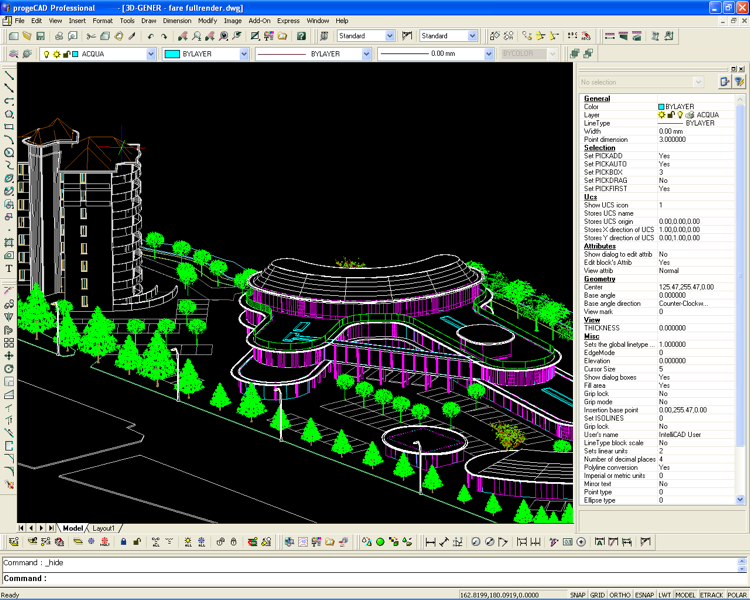
progeCAD IntelliCAD uses AutoCAD DWG files, no need for conversion. Windows 7 32,Windows 7 64, No learning curve for AutoCAD users. AutoLISP, VBA, ADS programming, import from PDF, Advanced Rendering, 3D ACIS Solid Modeling included. For architects, building kitchen and bath designers, civil, electrical, AEC, MEP and structural engineers, road, site and town planning etc. 2D and 3D CAD drawing using common AutoCAD and AutoCAD LT commands. Import and edit your Raster Images, including Raster to Vector. Comes with near 11,000 standard symbols and blocks. AutoCAD DWG File 2.5 - 2010, Open and Save Compatible with AutoCAD menus, scripts, fonts, etc. A Library of Blocks Symbols for Electrical, Mechanical, Architectural, Civil Survey, Hybrid DWG Raster Image Editing. Vertical applications for many industries. Google Earth export, Quick Dimensioning, updated spell checker, DIESEL expression support, over 1000 new CAD symbols, right-mouse click context menus, improved speed and reliability, Advanced Data Extraction wizard, one-click text editing, an interactive purge command dialog, and one-click entity grouping, layout print area visualization. eTransmit, PDF, ECW, O2C, JPG, SVG XML image file support, Express Tools, easy-to-use attribute editing, DWG redlining, and Find and Replace text and attribute search, Network NLM, USB mobile, and corporate licensing options, over 300 new hatch patterns. progeCAD Professional IntelliCAD is an easy replacement for AutoCAD and AutoCAD LT!
About progeCAD Professional
This CAD program is available in English, French, Spanish. It was last updated on 29 September, 2026. progeCAD Professional is compatible with the following operating systems: Windows.
The company that develops progeCAD Professional is progeCAD USA. The latest version released by its developer is 2014.0.8.13. This version was rated by 8 users of our site and has an average rating of 4.8.
The download we have available for progeCAD Professional has a file size of 483.4 MB. Just click the green Download button above to start the downloading process. The program is listed on our website since 2014-05-14 and was downloaded 383 times. We have already checked if the download link is safe, however for your own protection we recommend that you scan the downloaded software with your antivirus. Your antivirus may detect the progeCAD Professional as malware if the download link is broken.
How to install progeCAD Professional on your Windows device:
- Click on the Download button on our website. This will start the download from the website of the developer.
- Once the progeCAD Professional is downloaded click on it to start the setup process (assuming you are on a desktop computer).
- When the installation is finished you should be able to see and run the program.
Program Details
System requirements
Download information
Pricing
Version History
version 2014.0.8.13
posted on 2014-05-14
Added EasyArch 3D, 3D parametric Architecture application running inside progeCAD Pro. 3D PDF Export, Trim to Hatch objects, edit dynamic blocks, edit Table objects. AutoCAD DWG 2014 compatible.
version 8.0.14
posted on
Now Supports AutoCAD 2008 Drawings
